
Forta Actions
Action Center, for operational teams
Your Monday morning, already prioritized
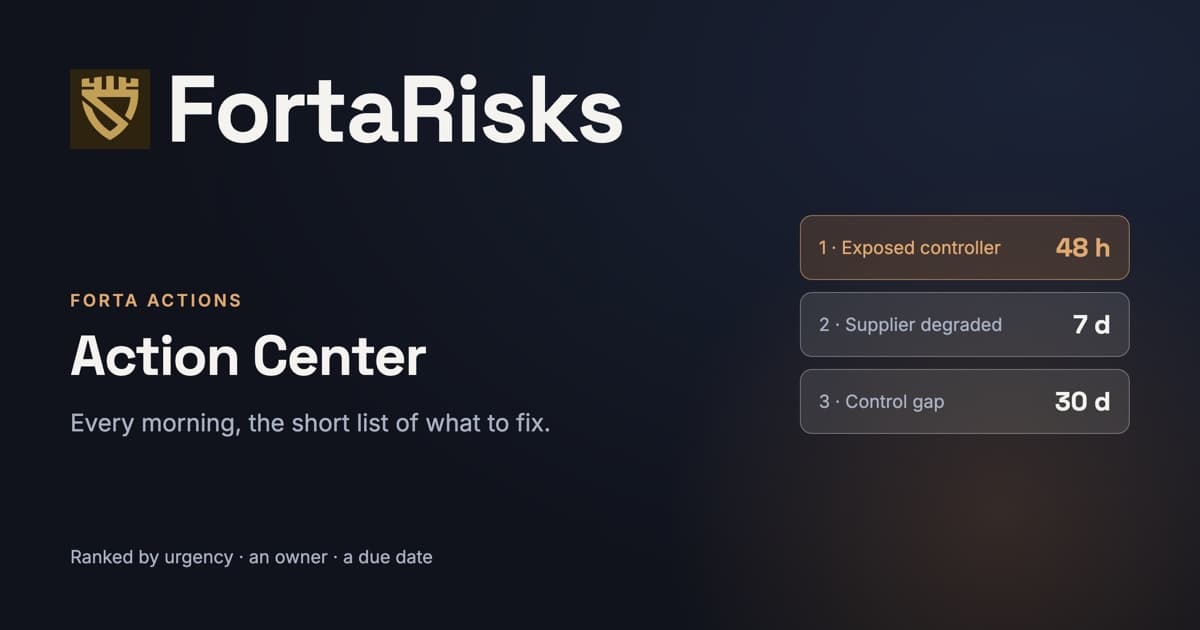
Most tools hand your team 2,000 alerts a day. FortaRisks correlates them across the five other modules into one short, ranked queue: 5 to 10 actions that matter, each with an urgency, an owner and a deadline.
2,000
Raw alerts a day, going in
5 to 10
Prioritized actions a day, coming out
5
Modules unified in one queue
Orders of magnitude estimated by FortaRisks; your results depend on your scope.
From noise to action, in one loop.
- 1
Correlate
Posture, compliance, threat intelligence, attack surface, third-party risk, policies and the risk register push their recommendations into one queue. This is the operational teams' view: it turns what the modules find into prioritized work with an owner and a deadline. The risk view, Forta Cockpit, serves the decision needs of CISOs, executives and risk managers. Two audiences, two views, one foundation.
- 2
Ranked by urgency, not by volume
Every action carries an urgency derived from severity and criticality, and a tier: act on it or watch it. Curation caps the noise without ever losing data, the surplus is demoted rather than deleted.
- 3
Deadlines, escalation and automatic closure
Each action gets a deadline based on its urgency, with reminders, overdue tracking, escalation and a weekly digest. When the source stops raising the signal, because the vendor recovered their score or the scan no longer finds the exposure, the action closes itself, with a guard against oscillation and never on a failed scan.
- 4
A verified "done", and one action per real piece of work
For posture and compliance, a "done" is only confirmed at the next assessment: otherwise the action reopens. And the control that advances ISO 27001, SOC 2 and NIST stays a single action, tagged with the number of frameworks it serves, never three rows to handle separately.
What lands in Forta Actions
Not raw alerts. Specific, prioritized actions, each with the why behind it.
- A newly exposed CVE on an internet-facing asset, with an exploit in the wild.
- A critical vendor whose posture just degraded, before it becomes your breach.
- An OT/ICS controller that appeared online after maintenance.
- Leaked credentials tied to your domain, surfaced before they are used.
- An emerging threat-actor TTP that targets your sector and matches your stack.
- A control gap dragging your inherent risk above your appetite.
Why teams live in Forta Actions
No more alert fatigue
Your team works the few items that change your risk, not a wall of duplicates.
Proactive, not reactive
Act on exposures and threats before they become incidents, with IOCs and fixes ready to ship.
Accountable and tracked
Every action has an owner and a status, so nothing is lost in a spreadsheet and progress is provable.
Three examples, three situations
- Example · Manufacturer
One exposed controller, one action
A controller appears online after maintenance. The action lands in the queue with the site and the port concerned, assigned to the site owner. When the next scan no longer sees it, the action closes by itself.
- Example · Multi-site company
Monday morning for the IT team
Forta Actions shows a short list: what to fix, at which site, by when, and who owns it. When the problem is gone at the next scan, the action closes by itself.
- Example · Prime contractor
A critical supplier slips
A critical supplier's score degrades. An action opens with the finding behind the drop, a due date and reminders. It closes once the supplier has recovered its score.
Forta Actions receives the work of the five other modules.
Each module keeps its expertise; none has a task list of its own. What they detect lands here, in a single queue, ranked by urgency.
Forta Radar → Forta Actions
A threat that targets your sector and matches your stack becomes an action: block indicators, fix an exposed vulnerability.
Forta Exposure → Forta Actions
Every new exposure becomes an action, routed to the right owner and tracked until it is resolved.
Forta Suppliers → Forta Actions
When a supplier's score degrades, the remediation request goes out with a due date and reminders.
Forta Compliance and Forta Cockpit → Forta Actions
Every control gap goes out with an owner and a due date. When a risk domain's grade degrades, an "understand the degradation" action opens with its context.
Your internal environment too, through integrations
The modules look at your company from the outside and at your suppliers. Your integrations add the inside: the configuration and alerts of your environment land in the same queue, ranked the same way. Microsoft 365, Entra ID and Defender today; Qualys and Tenable are planned.
IntegrationsExplore the other modules.
30 minutes to know what to fix first.
A member of our team walks you through FortaRisks on threats relevant to your sector, and you leave with your priorities.
Frequently asked questions
What is the difference between Forta Cockpit and Forta Actions?
Forta Cockpit is the decision-makers' view: the risk register, risk levels and how they move. Forta Actions is the teams' view: the list of what to fix, by whom and by when. Both read the same data.
How does an action close?
When the source stops raising the signal, for example when the scan no longer finds the exposure or the supplier has recovered its score, the action closes by itself, never on a failed scan. For maturity and compliance, a "done" is only confirmed at the next assessment: otherwise the action reopens.
What happens to the alerts that are not on the list?
Nothing is deleted. Every action carries an urgency and a tier, act on it or watch it; the surplus is demoted, not erased.